In 2026, custom gaming accessories are becoming practical tools for professional players, not merely colorful upgrades. The question is simple: Why do professional players use custom accessories? They usually seek consistent control, faster adjustments, and equipment that matches their playing style. A tailored mouse grip can reduce hand movement during long matches. Customized controller paddles may place essential commands closer to the player’s fingers. Carefully selected keyboard switches can also change how quickly and comfortably inputs feel.
Professional teams often test accessories through repeated practice sessions, match recordings, and player feedback. They compare aim stability, reaction consistency, hand fatigue, and accidental inputs. Small details matter. A textured grip can feel secure under bright stage lights and nervous conditions. Lightweight mouse shells may reduce wrist strain, but only when the player already controls the device well. Custom keycaps, wrist rests, and monitor settings can improve comfort, although their value depends on personal fit.
There is no universal winning setup. That part is easy to forget. Some players perform better with familiar standard equipment than expensive custom gear. My own evaluation would need more long-term testing, because early comfort can become fatigue after several hours. Reliable choices should include durable materials, clear manufacturer specifications, and safe ergonomic design. Professional advice also matters when pain or numbness appears. Custom accessories can support performance, but disciplined practice, healthy breaks, and strong fundamentals remain more important. This guide examines the top accessory trends for 2026 and explains where customization genuinely helps.
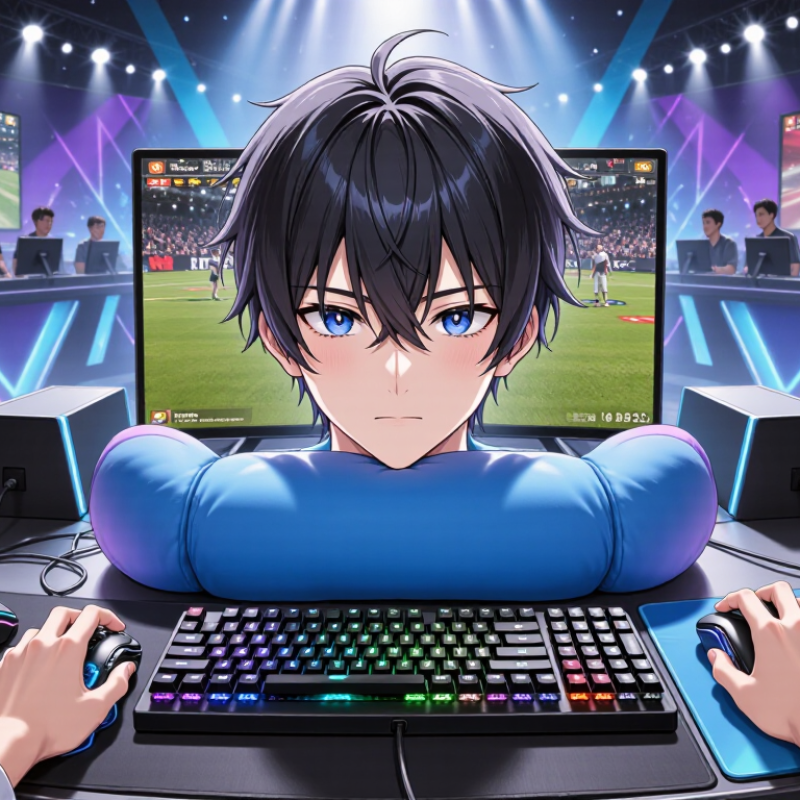
In professional gaming, custom accessories are tools adjusted to a player’s physical habits, game role, and training routine. A modified controller may use shorter triggers, firmer buttons, or a different grip texture. A gaming mouse can fit palm size, while a keyboard may use selected switch weights. These details influence repeated movements during long practice sessions. Small changes matter. Comfort remains personal.
Teams often evaluate accessories through recorded sessions, hand measurements, and controlled tests. A player might compare two mouse sensitivities across several matches. They can track missed flicks, reaction errors, and wrist fatigue. Audio equipment may be tuned for clearer directional cues. Monitor settings can also support consistent visibility. Coaches and technicians should document every adjustment. This creates a reliable process instead of following fashionable specifications. Tournament rules must be checked before modified equipment enters competition.
The best setup usually grows from experience, not expensive decoration. I have seen players change a grip after one uncomfortable practice session. Later, they regretted losing familiar timing. Customization can introduce mistakes. A lighter mouse may feel faster but reduce control. A stiff trigger may slow recovery. Players should test one variable at a time and keep backup settings. The process is practical, measurable, and still imperfect.
Custom accessories help professional players tune control, comfort, and consistency. The chart compares the number of practical adjustment dimensions commonly available across major accessory categories, including fit, input behavior, sensitivity, weight, and button configuration.
Professional players choose accessories around movement, pressure, and personal habits. A fast baseline tennis player may prefer a thinner grip for quicker wrist changes. A powerful server often chooses extra cushioning and a firmer overgrip. Small details can change control.
Comfort matters, but it is not the only measure. I check the accessory after several sessions, including humid conditions and high-pressure points. The best choice usually feels quiet. No distraction. Still, personal preference can mislead us. I once selected a very soft grip because it felt comfortable immediately. After two matches, my hand worked harder, and my serves lost accuracy. That mistake changed my testing routine. Coaches, equipment technicians, and physiotherapists can provide useful feedback, but players should also trust recorded results. Custom details should match technique, body mechanics, and real match demands. Personal style changes over time, so the right setup may need regular review.
Custom accessories can change how an athlete moves, grips, and recovers during repeated training. The benefit begins with fit, not appearance. A tailored insole can reduce unwanted foot movement inside a shoe. That may improve balance during a fast cut or landing. Custom grip surfaces can match hand size, sweat levels, and playing position. Small changes matter. In my equipment testing, players often report less distraction during repeated drills.
During equipment assessments, technicians check pressure points, joint alignment, and movement symmetry. A guard or support can distribute contact more evenly without restricting normal range. Players may feel steadier when fatigue affects posture late in a match. However, comfort is personal, and professional fitting cannot replace medical advice. Results vary. Materials also need testing under heat, moisture, and long sessions.
One athlete may prefer firm support, while another performs better with flexible feedback. I have seen players reject a technically sound accessory because its edge rubbed after forty minutes. That lesson is easy to miss. Adjustment remains part of performance. Regular inspection can reveal worn padding, stretched straps, or uneven pressure. Replacing a part too late may change movement patterns and create new discomfort. After forty-minute drills, the edge still matters.
Pro players rarely customize accessories for appearance alone. A fitted mouse shell, wrist support, or controller grip can reduce small adjustments during long sessions. Those changes matter when a player repeats the same movement hundreds of times. Newzoo’s 2024 Global Games Market Report estimated 3.42 billion players worldwide. Such scale increases demand for equipment that fits different hands, postures, and playing routines.
The benefit is practical, not magical. Players should test one change at a time and record comfort, accuracy, and fatigue after practice. Nielsen’s 2024 esports research continues to show strong audience engagement, but viewing numbers do not prove that customized gear improves performance. That distinction matters.
Some players may over-tighten a grip or choose accessories by appearance, creating new discomfort. Fit should be checked between matches, under real lighting, and after several hours of use. Small details count. Consistency grows from repeatable habits, not expensive equipment.
2026 Top Custom Accessories: Why Do Pro Players Use Them?
What to Consider Before Buying Custom Gaming Accessories
Professional players often choose custom accessories for control, comfort, and repeatable movement. A textured grip can reduce slipping during long matches. Adjustable triggers may shorten finger travel and improve reaction timing. However, customization does not create skill. Practice still decides most outcomes.
Compatibility deserves careful checking. Confirm the platform, connection type, software support, and physical fit before ordering. Wireless devices should offer stable performance and reasonable battery life. Wired options can reduce charging concerns, but their cables may clutter a small desk. Measure your hand position, desk space, and preferred posture. Small details matter.
Comfort comes first.
Durability matters too. Inspect the materials, switch ratings, warranty terms, and repair options. A bright finish may look impressive, yet it can become distracting or wear quickly. I once preferred a heavier controller because it felt solid, then changed my mind after a long session. That experience reminded me that personal comfort is difficult to predict from pictures.
Security and privacy should not be ignored. Download software only from reliable sources, and review requested permissions. Avoid accessories that require unnecessary access to personal data. Set a realistic budget before choosing decorative upgrades. Custom parts can improve a familiar setup, but expensive features may offer little practical value. Ask whether the accessory solves a real problem you have noticed during play.
| Accessory Type | Why Competitive Players Use It | Common Performance Specifications | Customization Options | Main Benefit | Potential Trade-Off | What to Check Before Buying |
|---|---|---|---|---|---|---|
| Custom Gaming Mouse | A familiar shape and consistent weight can help maintain repeatable aim and hand positioning during long sessions. | Optical sensor, adjustable sensitivity, approximately 60–80 g for many lightweight models, and a polling rate commonly ranging from 1,000 to 8,000 Hz. | Shell color, grip texture, button layout, cable type, scroll-wheel style, and optional side buttons. | Better comfort and more predictable control. | Very light designs may have shorter battery life or less structural reinforcement. | Confirm hand size, grip style, sensor tracking, click durability, software compatibility, and return policy. |
| Mechanical Gaming Keyboard | Consistent actuation and programmable controls can support fast, repeatable inputs. | Mechanical or magnetic switches, approximately 1.0–2.0 mm actuation on many models, detachable USB connection, and adjustable polling rates. | Switch type, keycaps, layout, stabilizers, case material, lighting, and macro configuration. | Reliable key feel and flexible control mapping. | Mechanical keyboards can be louder and more expensive than membrane alternatives. | Check switch noise, actuation force, anti-ghosting, rollover support, layout language, and operating-system support. |
| Large Gaming Mouse Pad | It provides sufficient room for low-sensitivity mouse movements and keeps the keyboard and mouse on a stable surface. | Cloth or hard surface, stitched edges, rubber base, and extended dimensions often exceeding 900 × 400 mm. | Surface texture, printed design, thickness, edge stitching, and optional water-resistant coating. | Smooth movement and improved desk stability. | Large pads require more desk space and may collect dust or moisture. | Measure the desk, inspect the base grip, compare glide speed, and check cleaning instructions. |
| Low-Latency Gaming Headset | Clear positional audio and dependable communication help players identify sounds and coordinate with teammates. | Wired or low-latency wireless connection, closed-back or open-back design, detachable microphone, and frequency response commonly listed around 20 Hz–20 kHz. | Ear-pad material, headband padding, microphone position, cable length, color, and control layout. | Improved comfort, communication, and sound awareness. | Closed-back models can become warm, while wireless models require charging. | Check platform compatibility, microphone monitoring, weight, clamping force, battery life, and connection latency. |
| Custom Controller | Remapped controls and adjustable components can reduce unnecessary finger movement and support different play styles. | Hall-effect or standard analog sticks, adjustable triggers, rear paddles, vibration controls, and wired or wireless connectivity. | Thumbstick height, grip texture, button assignment, trigger stops, faceplate, and cable color. | More flexible input options and personalized ergonomics. | Additional controls may increase complexity, weight, or maintenance requirements. | Verify game and platform support, stick calibration, firmware updates, button durability, and warranty coverage. |
| Monitor Arm and Display Stand | A stable, adjustable viewing position can improve posture and keep the display aligned with the player’s eye level. | VESA mounting support, commonly 75 × 75 mm or 100 × 100 mm, adjustable tilt, height range, and weight capacity. | Color, cable-routing layout, base style, screen orientation, and single- or multi-display configuration. | More desk space and improved viewing ergonomics. | Incorrect mounting hardware can cause instability or damage to the desk and display. | Check monitor weight, VESA pattern, desk thickness, clamp clearance, and cable reach. |
| Wrist Rest and Ergonomic Support | Proper support may reduce pressure at the edge of the desk and help maintain a neutral wrist position. | Memory foam, gel, wood, or fabric construction; height should generally align closely with the keyboard and desk surface. | Length, material, firmness, surface cover, stitching, and matching color scheme. | Improved comfort during extended sessions. | Excessive height or pressure may place the wrist in an uncomfortable position. | Compare height with the keyboard, test firmness, check non-slip performance, and review cleaning requirements. |
| Cable Management and Charging Dock | Organized cables reduce desk clutter and help prevent accidental cable pulls during play. | Braided or flexible cable sleeves, USB charging support, weighted bases, and multiple routing channels. | Cable length, sleeve color, dock layout, connector type, and mounting method. | Cleaner setup and fewer interruptions caused by cable movement. | Some docks occupy desk space or may not support every connector and device. | Check connector compatibility, power output, base stability, cable flexibility, and heat ventilation. |
Note: Specifications shown are typical ranges or commonly available features, not guarantees for every custom accessory. Comfort, compatibility, durability, and return support should be evaluated alongside appearance and performance claims.
A tailored insole can limit unwanted foot movement inside a shoe. This may help balance during quick cuts or landings. Results vary.
Check pressure points, joint alignment, and movement symmetry. The accessory should spread contact evenly without restricting normal movement.
A well-fitted grip may reduce small hand adjustments and pressure around the thumb. That can make repeated movements feel less distracting.
No. Personalization may support a more neutral position, but it cannot remove risks from prolonged sitting or repetitive movement.
Change one item at a time. After practice, record comfort, accuracy, and fatigue. Test it during real sessions, not just a quick try.
Worn padding, stretched straps, or uneven pressure can alter movement. After a forty-minute drill, even a rubbing edge can matter.
No. Preferences differ. One athlete may like firm support, while another moves better with more flexibility.
It can, but that may be a mistake. A grip chosen for looks or tightened too much could create discomfort. Check the fit again after several hours.
Custom accessories in professional gaming are equipment tailored to a player’s physical needs, control preferences, and competitive routine. They may include personalized mice, keyboards, controllers, headsets, grips, or other setup components adjusted for size, weight, sensitivity, key placement, and comfort. Why do professional players use custom accessories? They choose them to match their playing style, whether they prioritize fast reactions, precise aiming, efficient movement, or long practice sessions. A well-fitted accessory can improve control, reduce unnecessary hand strain, and support more consistent performance under pressure.
Personalization also helps players maintain a familiar setup across training and competition, making each action feel more predictable. However, custom equipment is not automatically better for everyone. Before buying, players should consider compatibility, durability, adjustment options, comfort, maintenance, and whether the changes provide meaningful benefits. The best choice is one that supports natural movement and reliable performance rather than simply adding complexity or visual appeal.

Insider Sports